The Cost and Budget department relied on manual reporting, requiring manual data extraction and consolidation. In addition to being time-consuming, the exchange of information with other departments was fragmented, affecting business planning and management decisions.
The lack of a structured system made real-time analysis difficult, making it difficult to identify financial trends and deviations, which could compromise the company’s profitability.
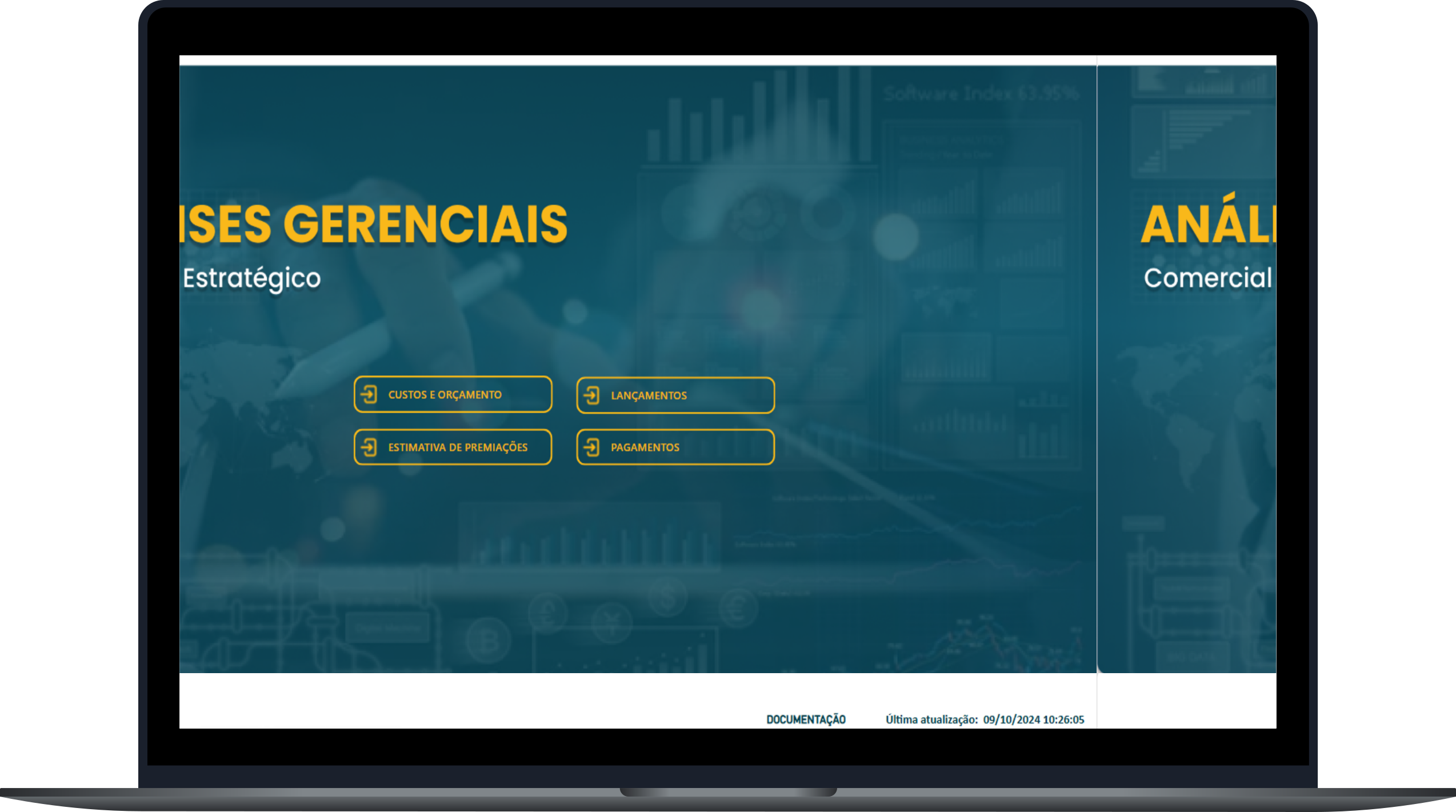
Decentralized data made communication between departments difficult, while the lack of standardization and manual validations were time-consuming and increased the risk of inconsistencies. Difficulty in consolidating up-to-date information delayed decision-making, resulting in corrective actions instead of planned ones. In addition, the analysis of indicators was limited by static reports, making it difficult to identify trends and financial deviations.
To solve these challenges, a process of centralizing information was implemented in SharePoint, ensuring that data from different departments was accessible in a single location. I performed the necessary extractions and integrated the data into Power BI, creating dynamic and automated dashboards that facilitated the analysis and monitoring of indicators in real time. This allowed for a clear and accurate visualization of information, optimization of cost planning and faster and more strategic decision-making.
Centralizing data eliminated the need for manual reporting, significantly reducing the time spent on validations and correcting inconsistencies. Consolidating information enabled more accurate financial planning and early detection of deviations, avoiding inappropriate allocations and losses. Dynamic dashboards provided a clear and interactive view, enabling decisions based on up-to-date and relevant data, resulting in more strategic rather than reactive actions.
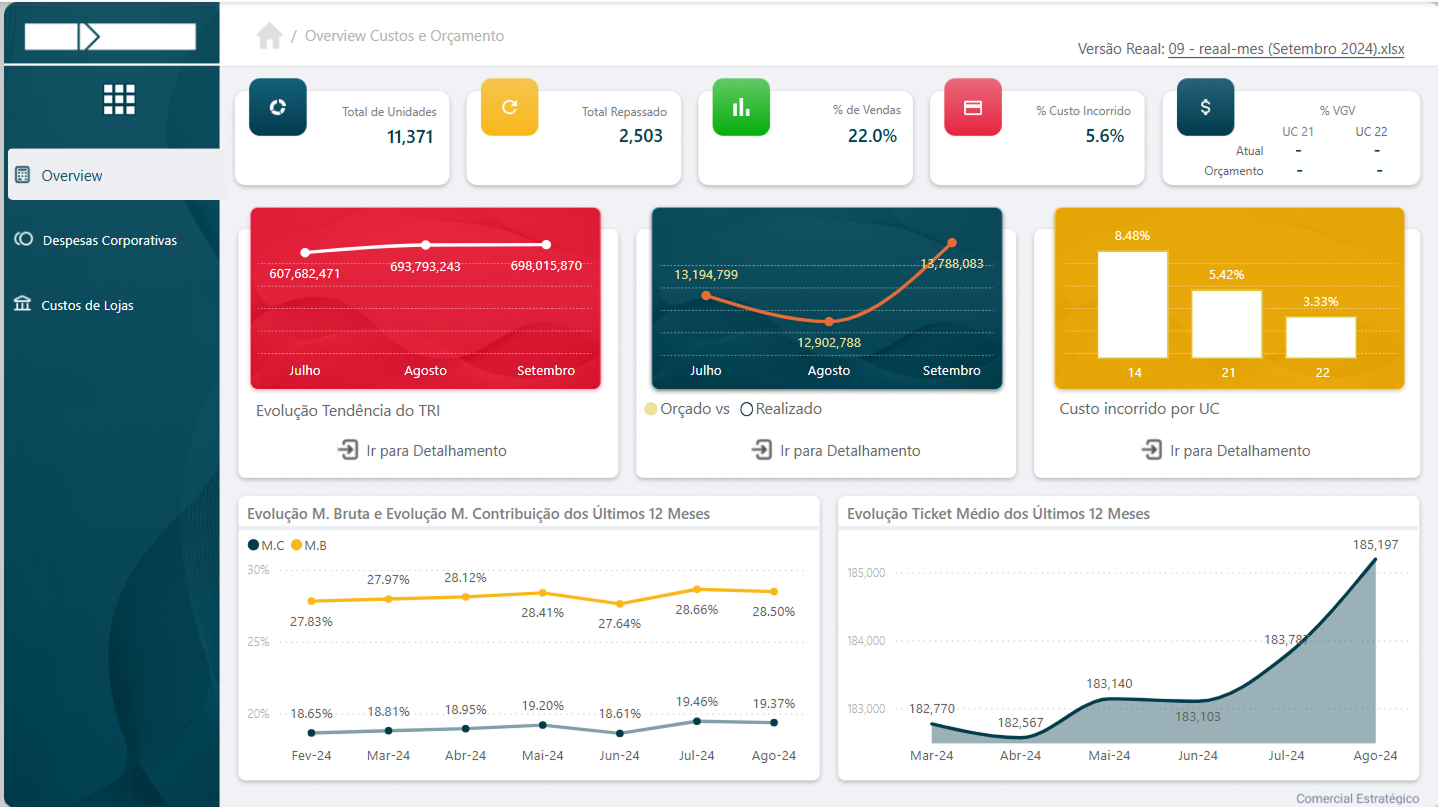
The Overview screen provides a strategic and consolidated view of project performance, displaying essential indicators for monitoring. It includes the total number of available and transferred units, percentage of costs incurred, overall sales value, expected budget and evolution of trends. In addition, it presents dynamic graphs and analyses such as gross margin and contribution, allowing for accurate financial and strategic analyses.
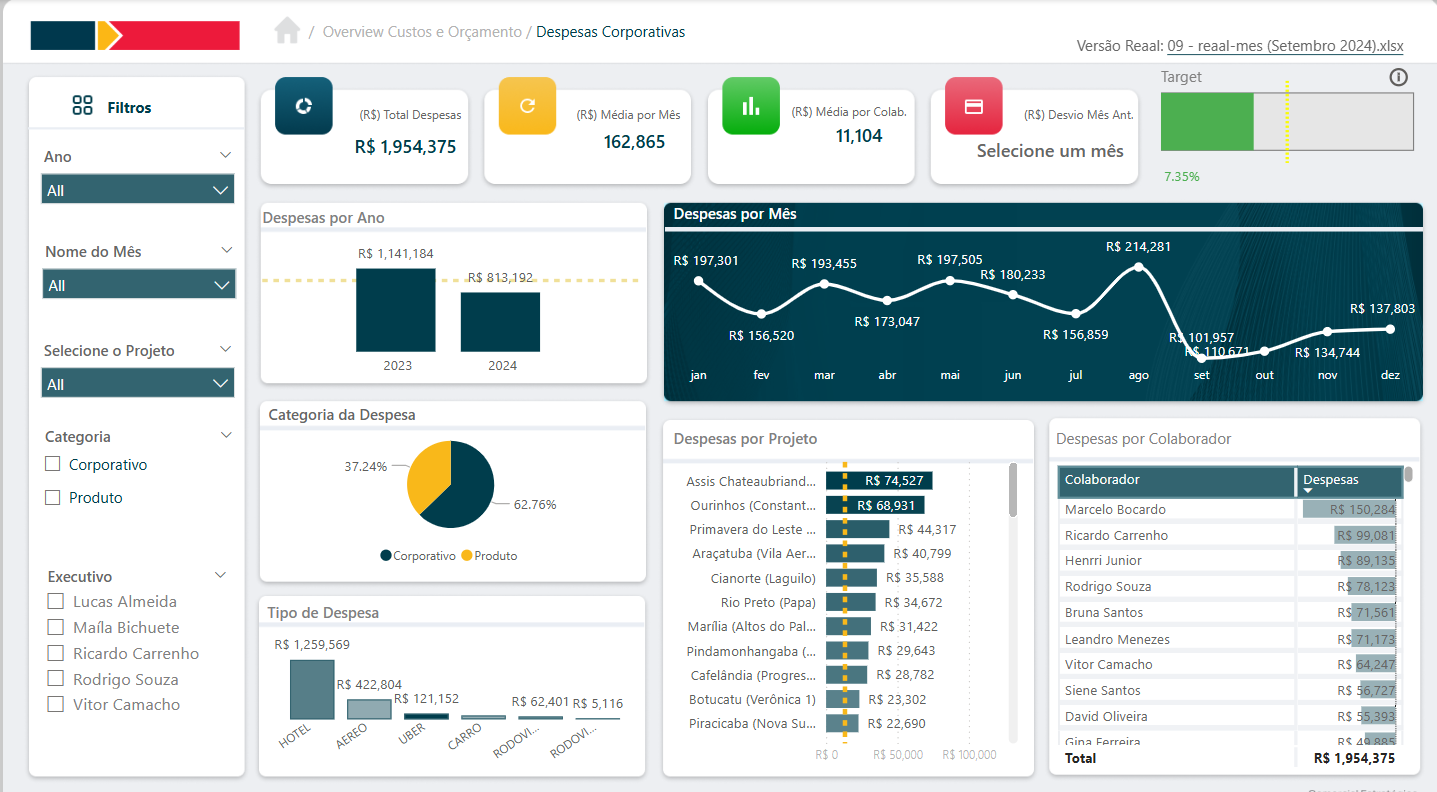
The Corporate Expenses Screen was developed to provide a detailed and organized view of the sales department’s expenses, covering more than 30 stores, and facilitating the control and monitoring of all costs involved in operations. The screen is divided into two main sections: General Corporate Expenses and Expenses by Project, allowing for a precise analysis of resource allocation and the financial impact of each individual project.
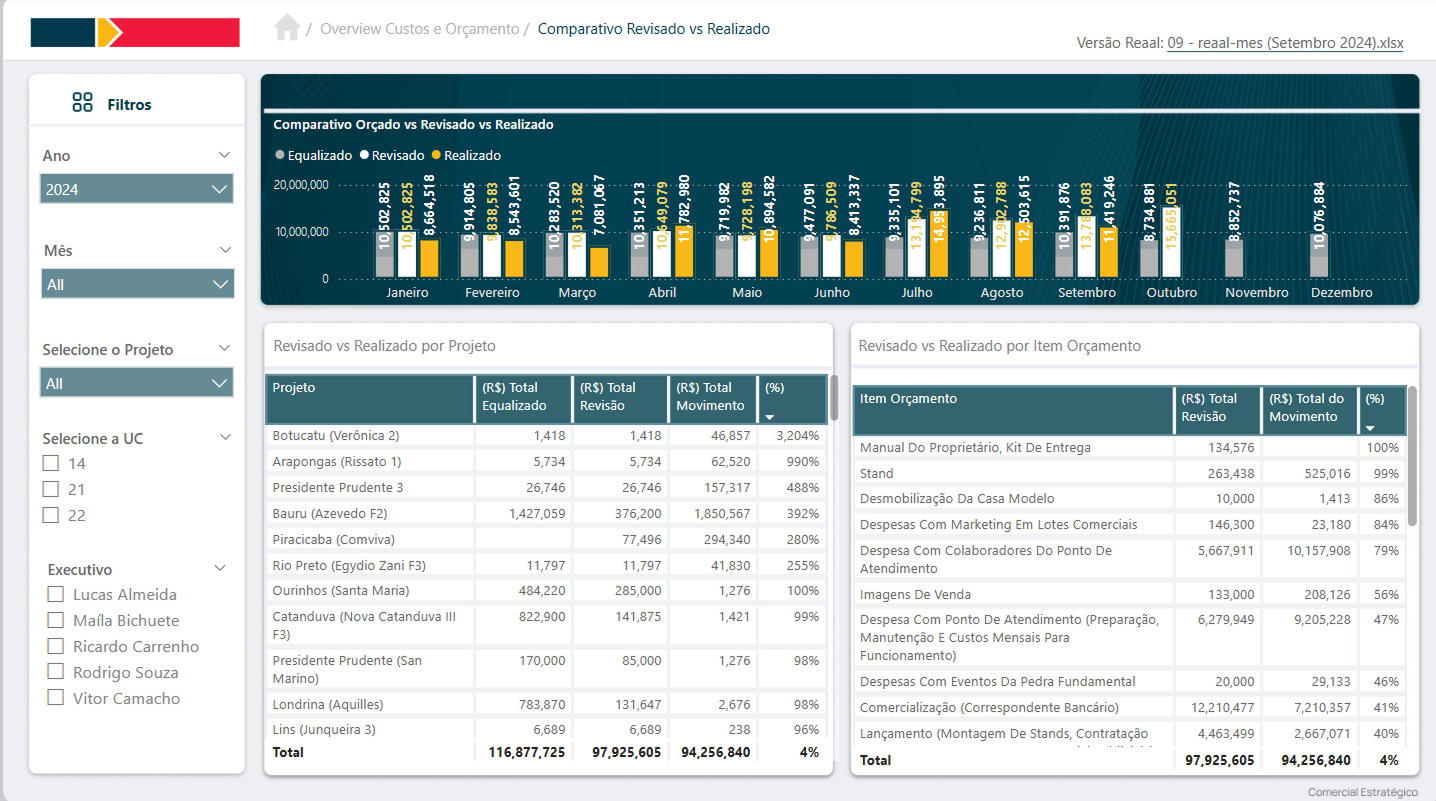
The Planned vs. Actual Comparison Screen was created to allow a detailed analysis of each project’s financial performance. It displays, for each budget item, the planned value in relation to the actual value, providing a clear view of the variations. The screen offers the possibility of monitoring the budget execution of each project, allowing you to quickly identify financial deviations and make decisions to adjust costs or replan actions. This comparison is essential to ensure that projects remain within the established budget, helping to optimize financial control and resource allocation.