The initial scenario presented challenges due to the lack of data infrastructure. Reports were generated manually in Excel, and each manager used their own version of the management report. As a result, the information was not centralized, leading to inconsistencies in the numbers compared to the system. In addition, the system itself had gaps, as it was not filled out correctly, further compromising the reliability of the information.
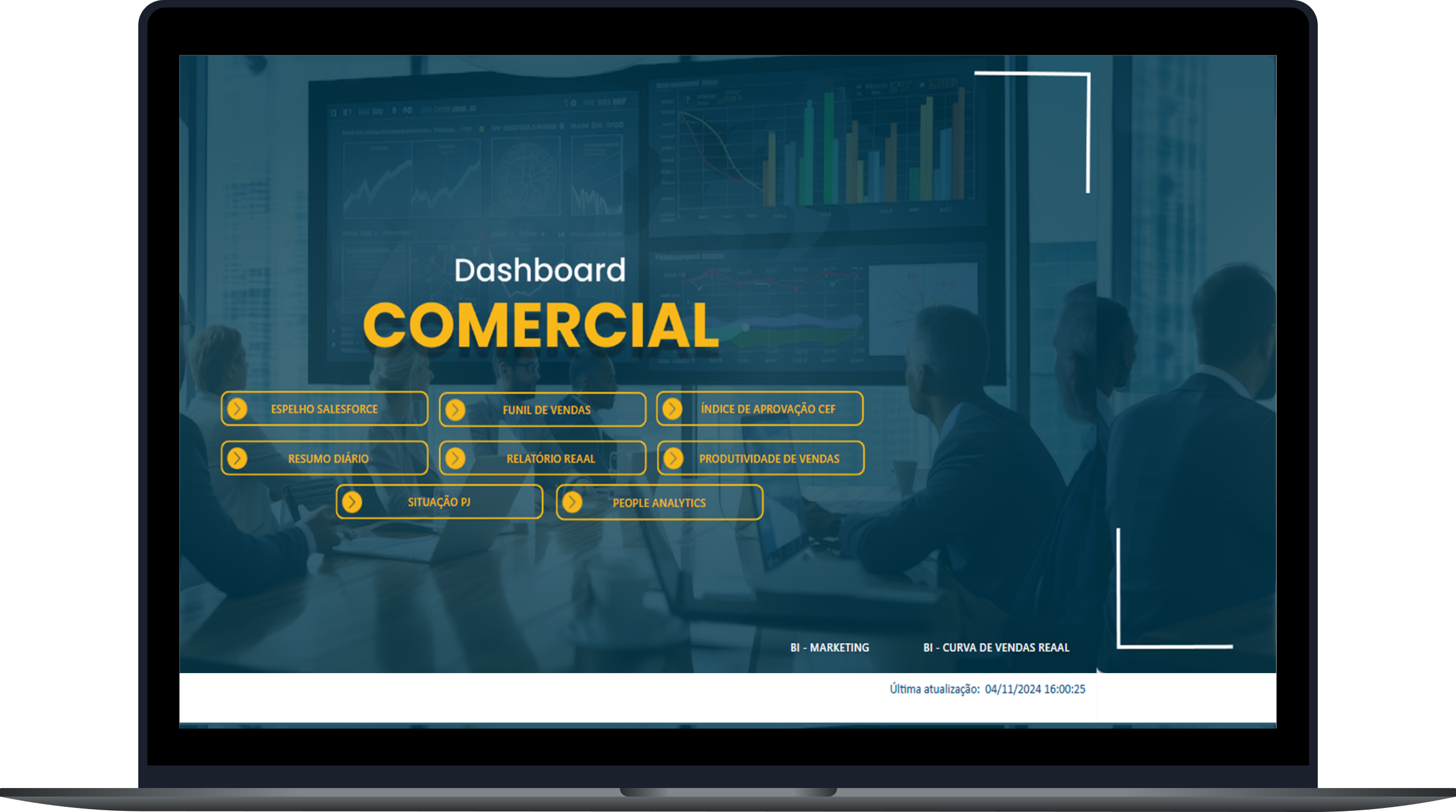
Ensure that all information is centralized in a single source of truth, eliminating discrepancies between manual reports and the system. Replace manual spreadsheets with dynamic and automated reports. Create mechanisms to ensure the integrity, updating and correct filling of information in the system. Implement interactive dashboards based on updated and accurate data.
Increased reliability of information. Implementing business rules in Salesforce improved record integrity, while creating APIs reduced the time spent extracting data. In addition, optimizing data flows accelerated processing and improved reporting performance, allowing quick access to strategic insights. As a result, we eliminated 90% of manual reporting, increased operational efficiency, and provided a unified view for decision-making.
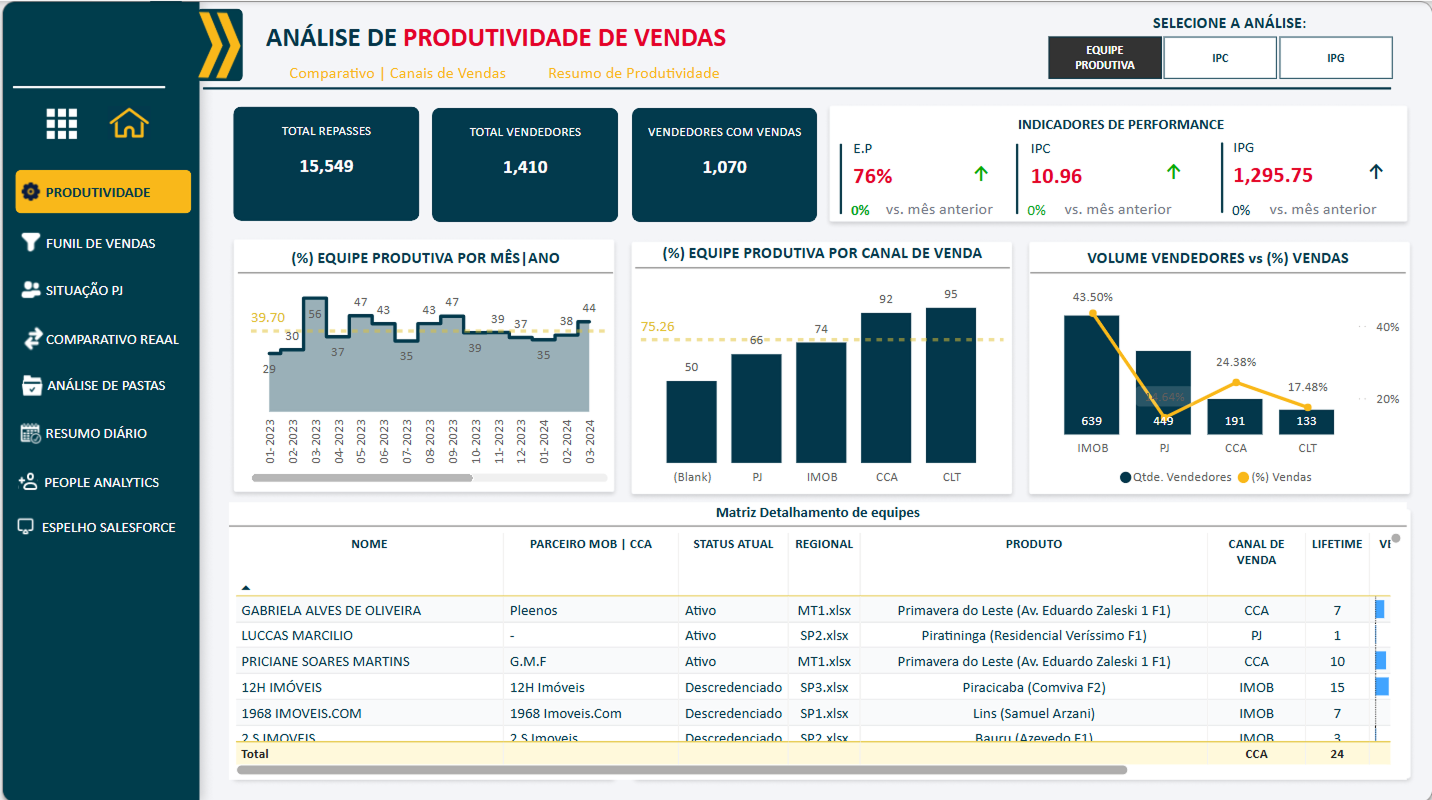
Detailed analysis of sales team productivity, highlighting key performance indicators, operational efficiency and the impact of sales activities. Through interactive visuals and dynamic filters, you can explore productivity data from different perspectives and levels of detail
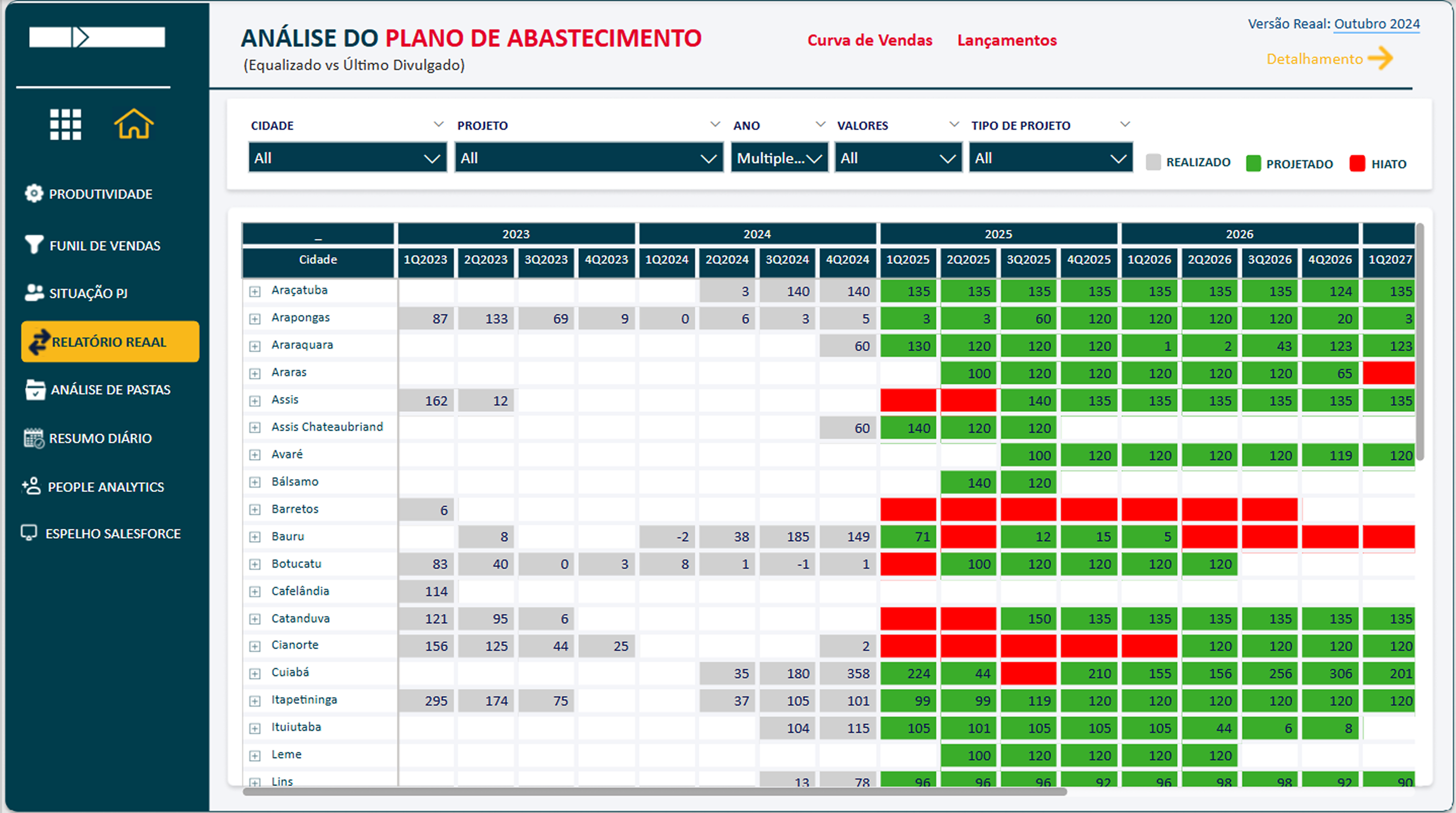
It provides a detailed view by project, city, and period, identifying gaps in the availability of developments for sale. This allows the creation of strategies to adjust the projected sales curve and optimize the commercial scenario.
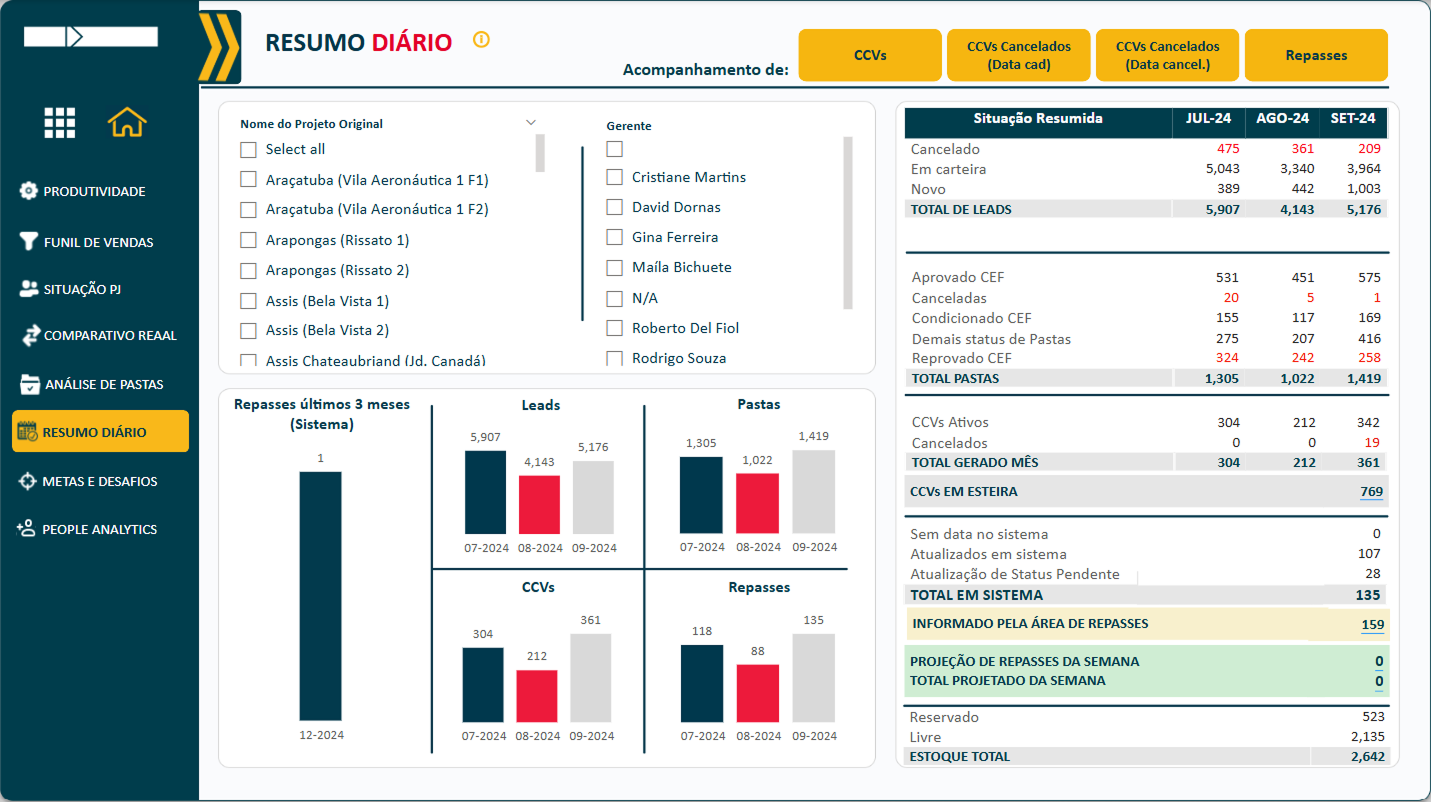
Provides a consolidated view of the sales funnel by period of days over the last three months, allowing for daily analysis. This enables performance comparison, making it easier to identify trends and variations in the sales scenario over time.
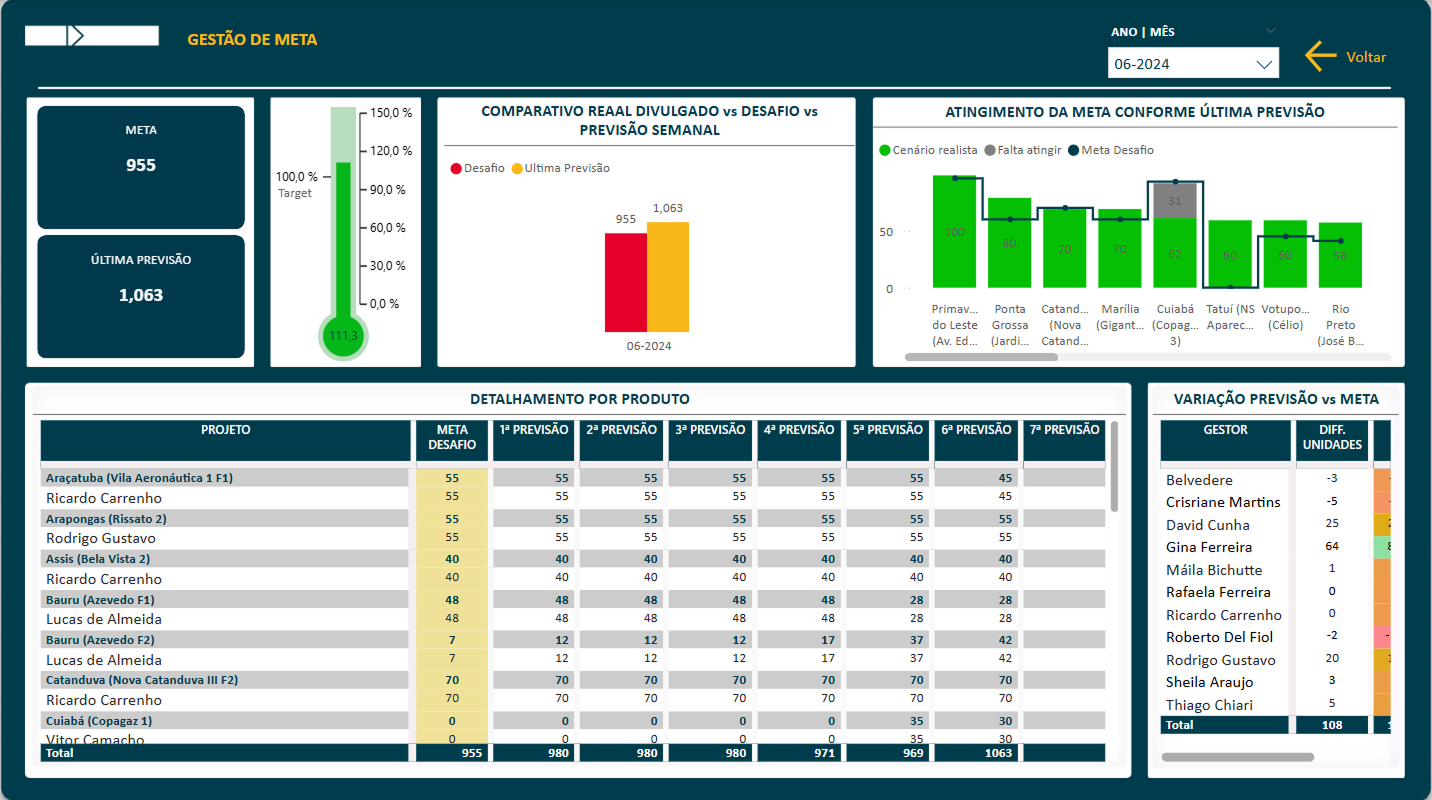
This dashboard provides a detailed overview of targets, comparing the actual goal with the latest forecast made by each manager. With a clear and intuitive visualization, it facilitates performance analysis against set objectives, supporting strategic decision-making.
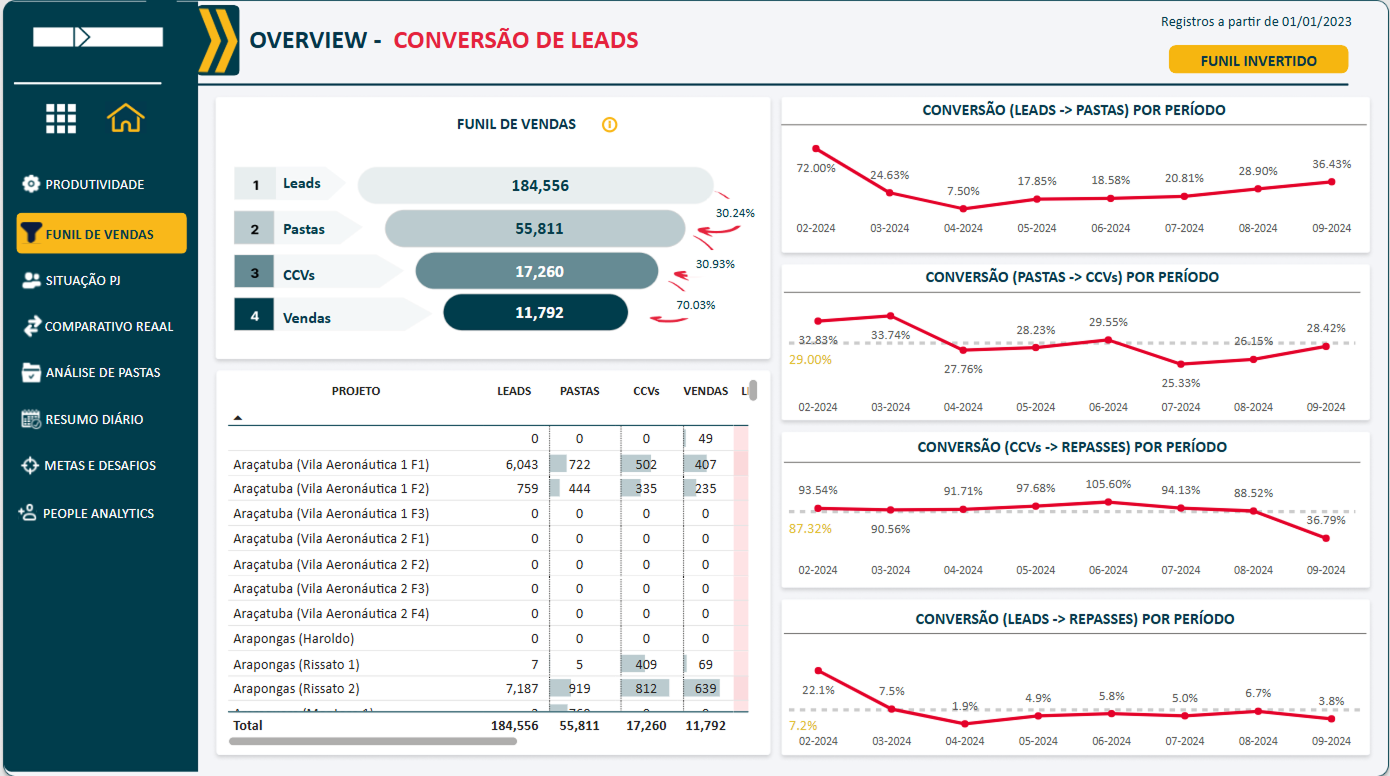
This dashboard displays each stage of the sales funnel along with their respective conversion rates. It allows for a clear visualization of the conversion curve over time and provides a detailed breakdown by project, enabling deeper analysis of performance trends.
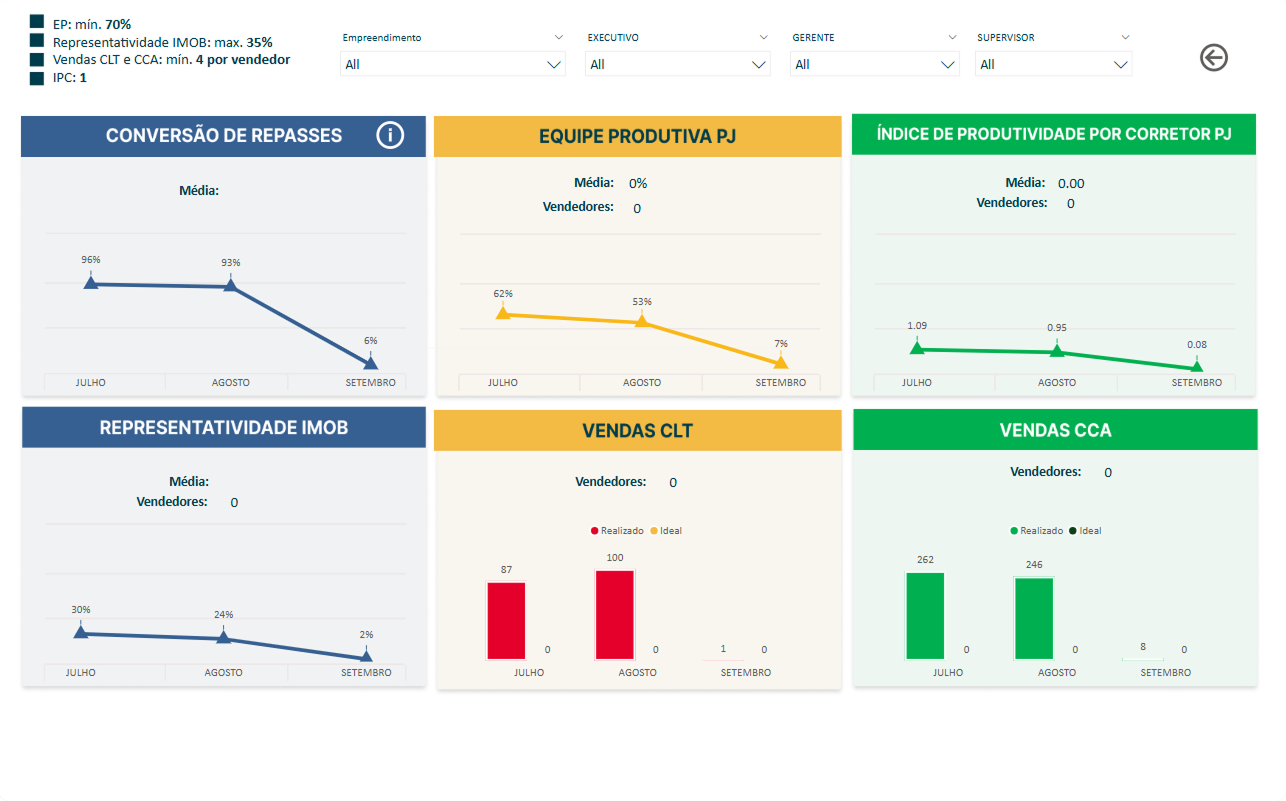
This dashboard presents key performance indicators from the past three months for the sales team. It includes the IPC (Productivity Index per Agent), conversion rates for transfers and sales, productive team analysis, and other essential metrics to evaluate overall efficiency.
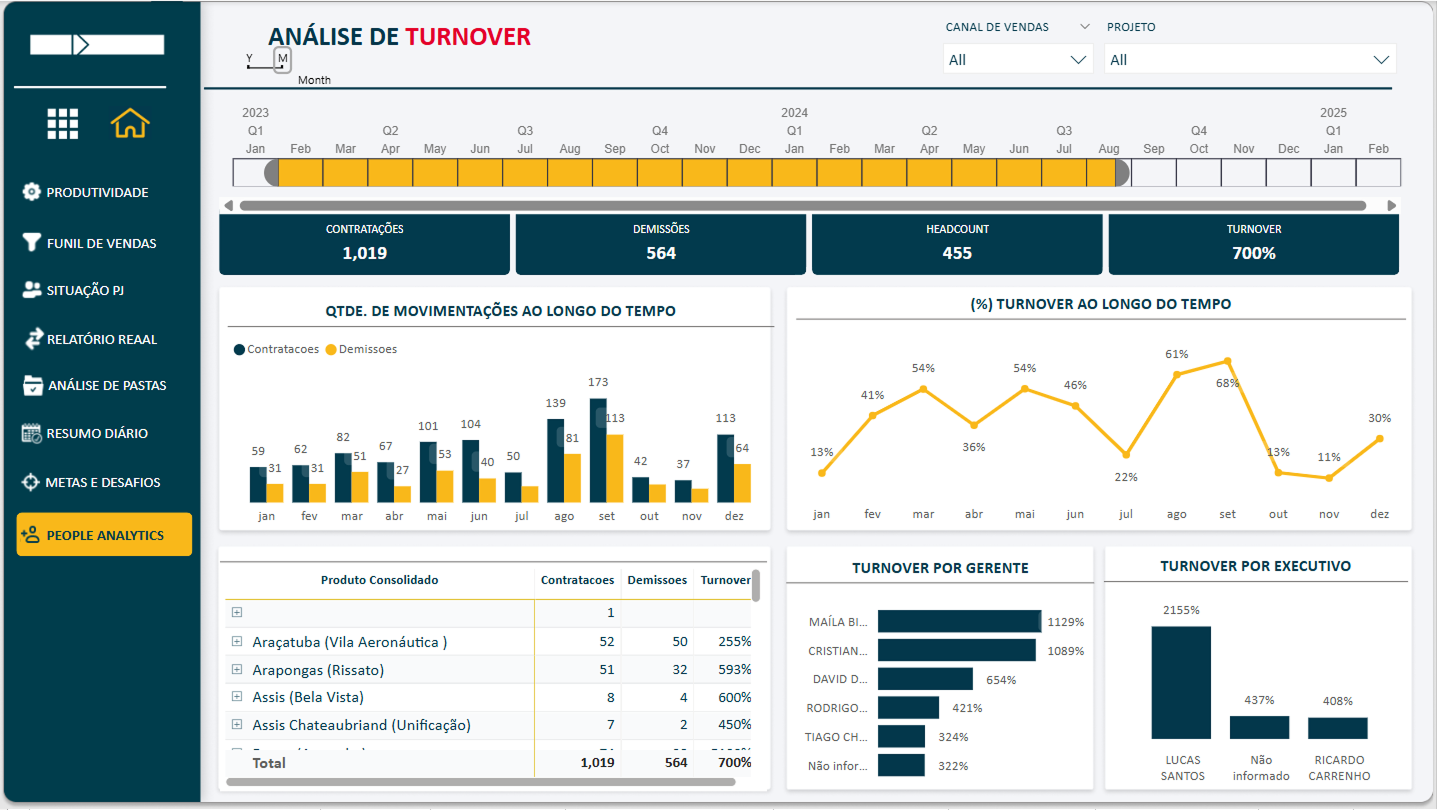
This dashboard provides insights into the sales team’s turnover rates. Users can analyze turnover by manager, time period, and product, allowing for a deeper understanding of workforce stability and retention trends.
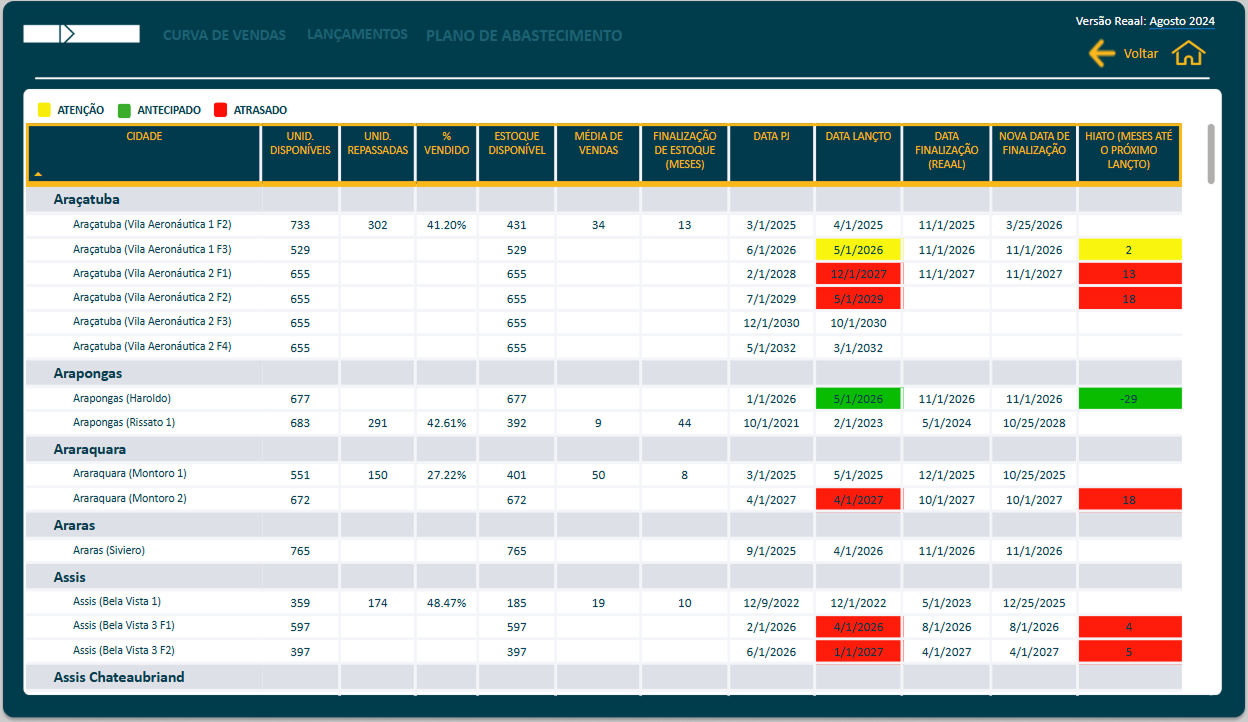
This dashboard forecasts the expected depletion of real estate inventory based on the planned sales curve. It provides a detailed breakdown by project and city, showing available units, sold/transferred units, historical sales averages, and planned stock completion.
Additionally, it highlights potential sales gaps—periods with no available units until a new project is launched—using color-coded indicators. This helps anticipate and mitigate interruptions in sales flow.